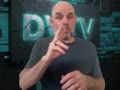
Press SHIFT to vlog!

deafvideotv     October 16, 2014 in ASL 355 Subscribers Subscribe


34,519 Views
11 Stars
0 E-mailed
20,068 Visits
84 Comments
1 Bookmarks

Anywhere on DVTV -- except when on a vlog -- press the SHIFT key on your keyboard to make a vlog. When you are on a vlog, pressing the SHIFT key will be a VIDEO COMMENT, not a vlog.

...Read More

84 Video Comments

Showing 20 video comments by deafvideotv

    To comment, this group.
  1. ReplyTo:   jared, ASLISOISL
    Title:   credit
  2. ReplyTo:   Airshowfan
    Title:   shift for vlog
  3. ReplyTo:   deafzoomasl
    Title:   record first then type
  4. ReplyTo:   Deaffilms
    Title:   desktop only
  5. ReplyTo:   MrA
    Title:   LOL!
  6. ReplyTo:   Airshowfan
    Title:   like a new computer
  7. ReplyTo:   deafzoomasl
    Title:   comment auto start rec
  8. ReplyTo:   signhand
    Title:   hotkey doesn't work 4 me
  9. ReplyTo:   signhand
    Title:   photo
  10. ReplyTo:   MrA
    Title:   see clearly
  11. ReplyTo:   Titans
    Title:   favicon
  12. ReplyTo:   signhand
    Title:   let me know
  13. ReplyTo:   karla64
    Title:   desktop only
  14. ReplyTo:   Titans
    Title:   logo on video
  15. ReplyTo:   Joan
    Title:   reload
  16. ReplyTo:   DARKBLACKCHERKEE
    Title:   busy internet

  17. Title:   emoticons :-)
  18. ReplyTo:   signhand
    Title:   added message
  19. ReplyTo:   JJvsy
    Title:   SHIFT to reply comment
  20. ReplyTo:   Skywpeace08
    Title:   SHIFT vlog/comment

Sign in to make a video comment.